
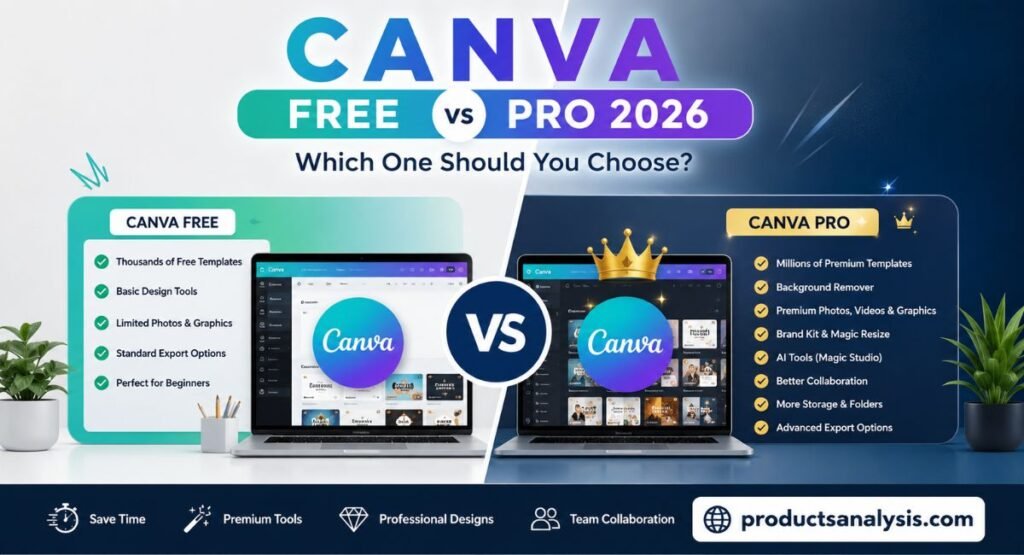
Canva Free vs Pro 2026: Complete Comparison + Is Pro Worth It?
If you’re stuck choosing between Canva Free vs Pro 2026, trust me, I’ve been there. When I started designing thumbnails for my blog, I wasted 2 weeks switching between both versions just to figure out what actually matters.
Here’s the real deal: Canva Free handles most basic tasks without any issue. But when I upgraded to Pro last year, the background remover and brand kit alone saved me around 5 hours every week.
In this Canva Free vs Pro 2026 breakdown, I’ll skip the fluff. No tech jargon. Just what each version can do, what it can’t, and whether that $12.99/month price tag makes sense for you in 2026.
Still reading? Good stuff
If you’re comparing phones right now, here’s my full Samsung Galaxy S26 vs S25 breakdown.
And for students on a budget, I picked the Best Budget Tablet for Students 2026 based on real testing
Canva Free vs Pro 2026: Quick Decision Table
If You Are… | Best Choice |
Student, beginner, or occasional designer | Canva Free |
Blogger, YouTuber, freelancer, or content creator | Canva Pro |
Small business or marketing team | Canva Pro |
What is Canva?
Canva is basically your design tool if you suck at Photoshop like me,
It’s a website + app where you drag and drop stuff to make Insta posts, YouTube thumbnails, resumes, logos, whatever you need. No coding, no “layers” confusion.
When I started my blog in 2025, I didn’t know design at all. I just picked a thumbnail template, changed the text + photo, hit download. Done in 3 minutes. That’s it.Think of it like MS Word, but for graphics instead of documents.
Canva Free vs Pro 2026: Side-by-Side Feature Table
Feature | Canva Free | Canva Pro |
Monthly Price | Free | $12.99/month (as of April 2026) |
Templates | Thousands | Millions |
Photos & Graphics | Limited | Premium library |
Background Remover | No | Yes |
Magic Studio AI Tools | Limited | Full access |
Brand Kit | No | Yes |
Folder Organization | Basic | Advanced |
Team Collaboration | Basic | Advanced |
Resize Designs | No | Magic Resize |
Export Options | Basic | More formats & settings |
7 Key Differences You Must Know
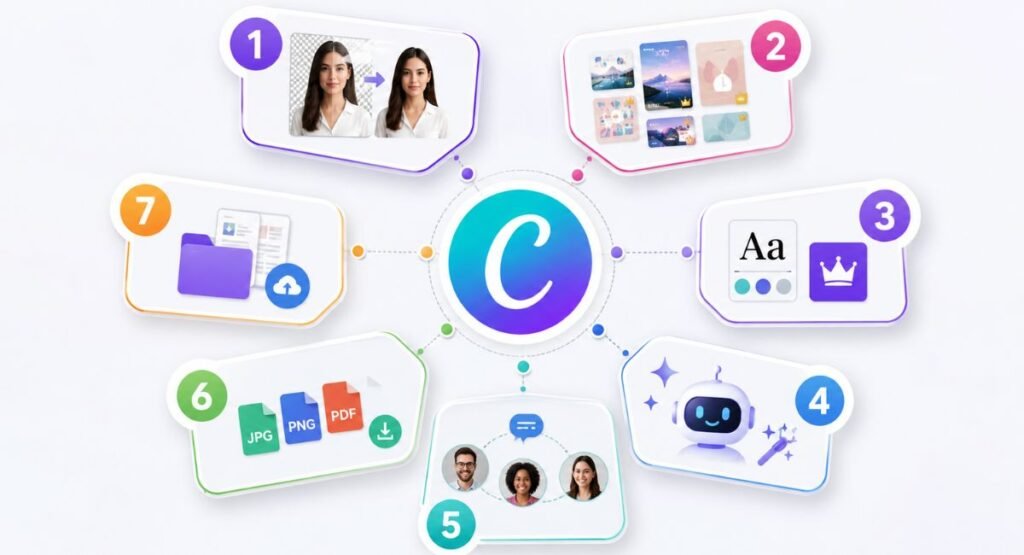
1. Background Remover Tool
One of the biggest reasons people upgrade is the background remover.
With Canva Free, you must remove backgrounds using third-party websites, which takes extra time.
Canva Pro removes backgrounds in just one click.
Personal example: When I tried removing a product image background in the Free version, I had to use another website first. With Canva Pro, it literally took one click and about three seconds.
Winner: Canva Pro
2. Premium Templates & Photos
The Free plan includes many templates, but you’ll quickly notice that lots of attractive designs are marked with the Pro crown icon.
Canva Pro gives access to:
- Millions of premium templates
- Premium stock photos
- Videos
- Graphics
- Icons
- Audio tracks
If you create content regularly, these premium resources make your work look much more professional.
Winner: Canva Pro
3. Brand Kit Feature
If you’re building a personal brand or business, Brand Kit is incredibly useful.
You can save:
- Your logo
- Brand colors
- Fonts
- Style settings
Instead of changing colors manually every time, Canva automatically applies your brand identity.
For businesses that publish daily on social media, this feature saves a surprising amount of time.
Winner: Canva Pro
4. Magic Studio AI Tools 2026
Canva has added many AI-powered tools under Magic Studio.
Some popular tools include:
- Magic Write
- Magic Design
- Magic Edit
- Magic Expand
- Magic Eraser
- AI image generation
- AI presentation creator
Free users receive limited access, while Pro subscribers get significantly higher usage limits and more advanced AI capabilities.
If AI helps you create content faster, this alone may justify the subscription.
Winner: Canva Pro
5. Team Collaboration
If you work alone, Canva Free may be enough.
However, if you work with:
- Clients
- Employees
- Virtual assistants
- Marketing teams
Canva Pro provides much better collaboration.
You can share folders, leave comments, manage permissions, and keep everything organized in one workspace.
Winner: Canva Pro
6. Export Quality & Formats
Both plans allow you to export PNG, JPG, and PDF files.
However, Canva Pro offers additional export flexibility, including:
- Transparent backgrounds
- Higher-quality options
- Better PDF settings
- More professional export controls
These features matter if you’re designing logos, marketing materials, or products for clients.
Winner: Canva Pro
7. Storage & Folders
As your projects grow, organization becomes important.
The Free plan offers basic storage and limited organization tools.
Canva Pro includes:
- More cloud storage
- Better folder management
- Organized team folders
- Easier asset management
Finding old projects becomes much easier.
Winner: Canva Pro
Who Should Use Canva Free?

Canva Free is still an excellent option if you:
- Create designs occasionally
- Are a student
- Design school projects
- Make simple social media posts
- Need basic presentations
- Are learning graphic design
Many people never need anything beyond the Free plan.
If your design needs are simple, there’s no pressure to upgrade.
Who Should Upgrade to Canva Pro?

Canva Pro makes sense if you:
- Publish content every week
- Run a blog
- Manage social media pages
- Sell products online
- Work as a freelancer
- Own a small business
- Create YouTube thumbnails
- Need consistent branding
- Want AI tools
- Design for clients
The time saved using premium features often pays for the subscription itself.
Canva Pro Worth It in 2026? My Honest Opinion
Look, I’ll be straight with you.
Last month I was broke so I dropped Canva Pro and went back to Free. Made 12 blog images + 20 Pinterest pins that way. It worked… but man, it was slow.
Then I got one client project and took Pro trial again. Background Remover alone saved me like 2 hours that day. Brand Kit meant I didn’t have to hunt for color codes every 5 minutes.
Right now in April 2026, Pro is $12.99/month.
If you open Canva once a month to make a birthday card, stick with Free. Seriously.
But if Canva is open on your laptop 4-5 days a week like mine? Pro pays for itself. That extra speed = more work = more money. Simple math.
Canva Pro Free Trial – How to Get 30 Days
Before paying, you can test Canva Pro yourself.
Simply:
- Visit Canva’s official website.
- Sign in or create an account.
- Click Try Canva Pro.
- Choose the available 30-day free trial (availability may vary by region).
- Add your payment method.
- Cancel anytime before the trial ends if it doesn’t suit your needs.
Testing the premium features yourself is the best way to decide whether they’re valuable for your workflow.
Final Verdict: Canva Free vs Pro 2026
So, who wins between Canva Free vs Pro 2026? It comes down to one thing: how often you actually design.Pick Canva Free if:
You’re a student, beginner, or someone who only designs once in a while. Maybe 1-2 posts per month. Free gives you thousands of templates and all the basic tools you need. And best part? It won’t cost you a dollar.Go for Canva Pro if:
Design is part of your daily work. Blogging, YouTube thumbnails, client work, social media for a business… anything where time matters. The background remover, Brand Kit, Magic Studio AI tools, and premium photos will save you hours every single week.Not sure yet?
Don’t spend money right away. Canva gives a 30-day free trial. Use it on your real projects. Make 10-15 designs. By the end, you’ll feel it yourself – either “meh, Free was enough” or “okay, I can’t go back to Free now”.That’s my honest take after using both. Hope it helps you decide without wasting $155/year.
FAQs – Canva Free vs Pro 2026
Is Canva Pro worth it in 2026?
Yes, if you create content regularly. The premium templates, AI tools, Brand Kit, and one-click editing features save a significant amount of time.
Can I use Canva Free forever?
Yes. Canva Free has no expiration date and remains available indefinitely.
Is Canva background remover free?
No. The Canva background remover free option is not included in the standard Free plan. It is a Canva Pro feature.
What is the Canva Pro price in 2026?
As of April 2026, the individual Canva Pro price is $12.99 per month, although pricing may vary by country and promotional offers.
Can students get Canva Pro for free?
Some eligible students and educators may qualify for free access through Canva for Education. Eligibility depends on Canva’s current policies.

Welcome to Products Analysis! I’m Muhammad Hasban, the founder and author behind this platform. Here, I share detailed insights, reviews, and analysis of products to help you make smart buying decisions. My goal is to provide honest, reliable, and easy-to-understand information for shoppers everywhere.