
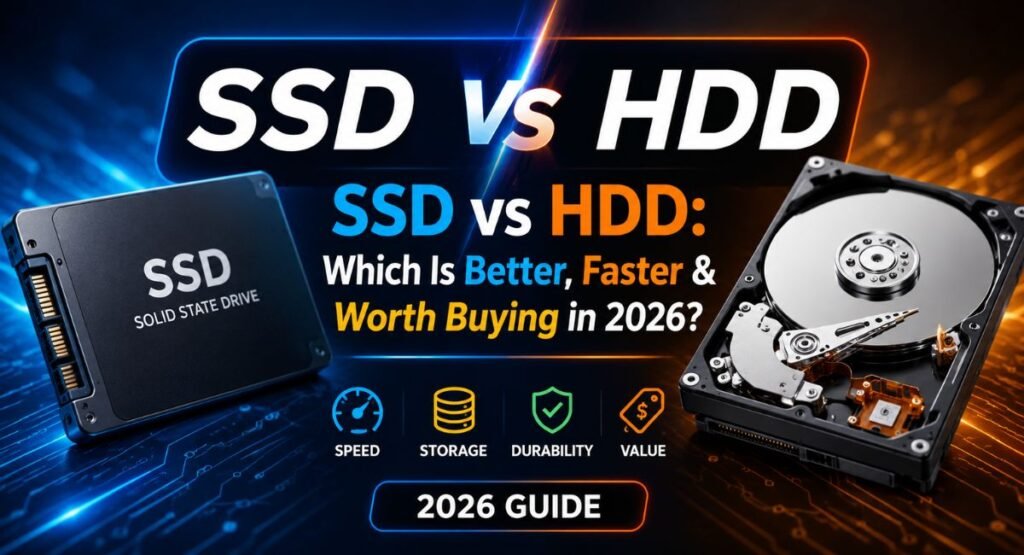
SSD vs HDD: Which Is Better, Faster & Worth Buying in 2026?
Choosing the right storage can change how your computer feels every day. The SSD vs HDD debate comes down to more than just speed. A solid-state drive can make your laptop boot faster, open apps quickly, and handle files with less waiting. Meanwhile, a hard disk drive still offers excellent value when you need lots of storage without spending too much. In 2026, both options have a place, but they serve very different needs.
Whether you’re upgrading an old PC, buying a new laptop, building a gaming setup, or planning a backup system, understanding their differences can save you money and frustration. Let’s compare their speed, capacity, durability, price, and real-world performance.
SSD vs HDD: What’s the Difference?
At the simplest level, an SSD uses flash memory to store data, while an HDD relies on magnetic storage and a spinning platter. Both provide non-volatile storage, meaning your files remain saved after you shut down the computer.
The biggest difference is how quickly each drive can access information. An SSD has no moving parts, while an HDD physically moves components to locate data. That fundamental design difference affects SSD speed, HDD speed, noise, power use, durability, and everyday responsiveness.
Feature | SSD | HDD |
Technology | Flash memory | Magnetic storage |
Moving parts | None | Yes |
Speed | Much faster | Slower |
Noise | Silent | Audible |
Durability | Generally higher | More vulnerable to shocks |
Cost per GB | Higher | Lower |
Capacity | Usually lower for the price | Usually higher for the price |
Best role | Primary storage | Bulk or secondary storage |
What Is an HDD and How Does It Work?
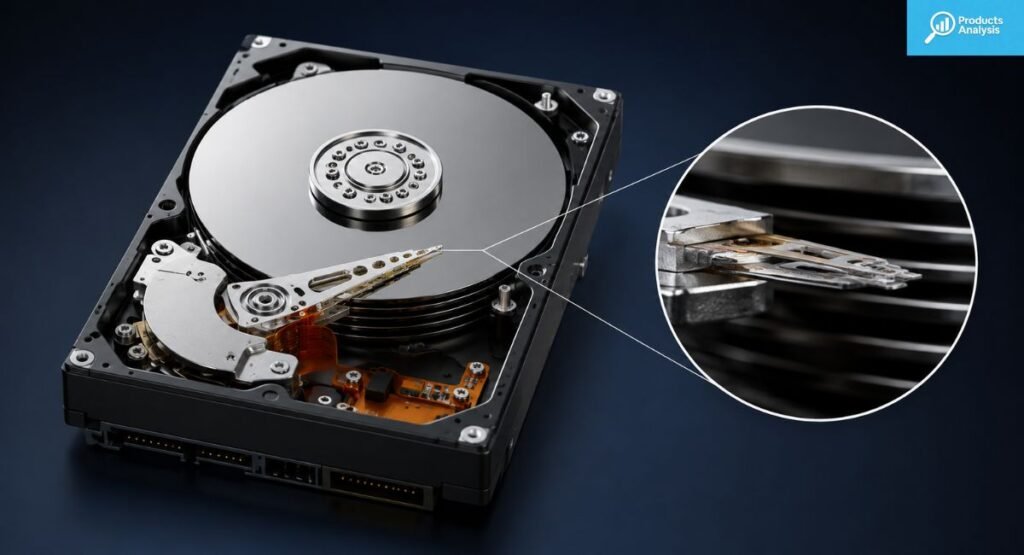
A traditional hard disk drive stores information magnetically. Inside its enclosure, a metal platter spins at high speed while a read/write head moves across its surface. The drive arm positions that head over specific areas so the computer can retrieve or record information.
Because an HDD depends on physical movement, its drive performance has mechanical limits. When data becomes scattered across the rotating recording surface, the head may need to move repeatedly. This can increase access time and contribute to file fragmentation, especially on heavily used drives.
Modern HDDs commonly use a 2.5-inch drive or 3.5-inch drive form factor. Smaller models often appear in older laptops, while larger drives are common inside desktop computers. Most consumer models connect through SATA and remain useful for inexpensive large-capacity storage.
Why Are HDDs Still Popular?
The answer is simple: capacity. An HDD can provide several terabytes of storage without the same cost per gigabyte as an equivalent high-capacity SSD. That makes HDDs useful for large photo libraries, video collections, archives, and data backup.
An HDD also works well as secondary storage. For example, you could keep Windows and frequently used applications on an SSD while storing movies, photographs, and older projects on an HDD. This setup gives you speed where it matters without wasting SSD space on rarely accessed files.
What Is an SSD and How Does It Work?
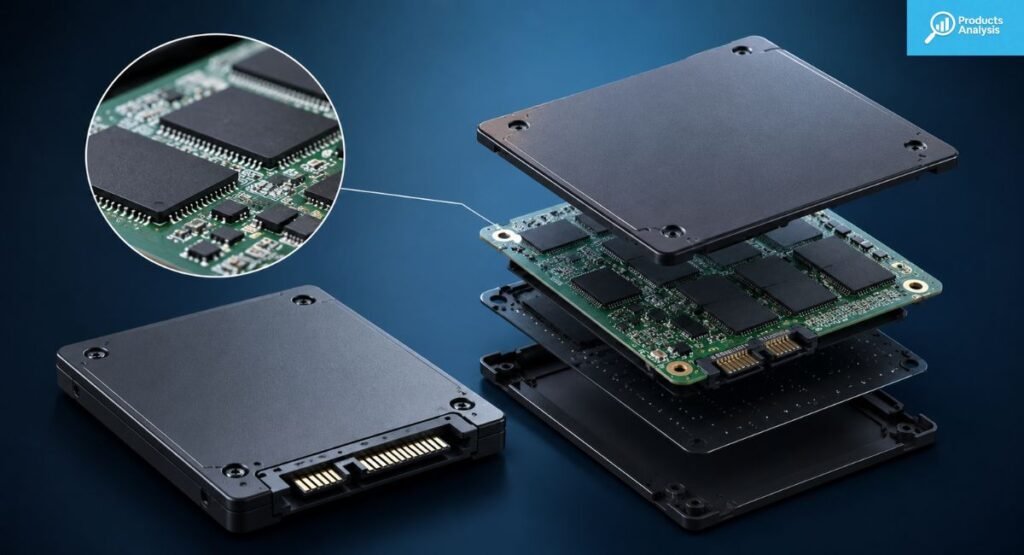
A solid-state drive stores information using NAND flash memory rather than magnetic platters. Inside the drive, flash-memory chips contain millions or billions of flash-memory cells that hold electrical charges representing stored data.
Unlike an HDD, an SSD doesn’t need a motor or mechanical head. Its non-mechanical storage design lets it access different areas of the drive electronically. That dramatically reduces access times and improves data transfer, app loading, and overall system responsiveness.
Modern SSDs appear in several designs. A 2.5-inch SATA model can replace an older laptop HDD, while an M.2 SSD can connect directly to the motherboard. Faster models commonly use NVMe over PCI Express, often called PCIe, for much higher transfer rates.
Why Have SSDs Become the Standard?
The answer becomes obvious when you use one. An SSD can make boot times dramatically shorter and applications feel much more responsive. Opening files also feels quicker because the drive doesn’t need to physically position a read head.
Modern laptops especially benefit from SSDs. Their compact form factor, low noise, lower power consumption, and improved shock resistance. If you’re upgrading your phone too, check Samsung Galaxy S26 Series or Huawei Mate X7. and improved shock resistance make them well suited to portable computers. Some systems even place the storage directly on the motherboard, although that can limit future upgrades.
SSD vs HDD: Key Differences Compared
When comparing SSD vs HDD, speed is only one part of the story. Price, storage capacity, physical design, durability, power requirements, and the type of workload all matter. A fast SSD isn’t automatically the best choice if you need enormous amounts of inexpensive storage.
The most important distinction is mechanical versus electronic operation. An HDD performs physical recording on magnetic surfaces, while an SSD manages data through electronic memory. That difference explains why the two technologies behave so differently during everyday computing.
Category | SSD | HDD |
Access time | Very low | Higher |
Read/write speeds | High | Lower |
File transfer speed | Faster | Slower |
Storage capacity | Good | Excellent |
Cost per gigabyte | Higher | Lower |
Durability | Generally better | Lower under physical shock |
Noise | Silent | Mechanical noise |
Power consumption | Generally lower | Generally higher |
Size | Very compact options | Larger |
Best use | Fast primary storage | Affordable bulk storage |
SSD vs HDD: Which Is Faster?
An SSD wins the speed contest by a wide margin. A typical hard drive may reach roughly 100–200MB/s in sequential transfers depending on its design and workload. SATA SSDs can reach around 500–550MB/s, while modern NVMe drives can deliver several gigabytes per second.
However, raw transfer rates don’t tell the whole story. Random access matters enormously when your computer opens thousands of small files. An SSD can access those files electronically, while an HDD must repeatedly move its physical head across the platter.
This difference explains why an SSD can transform an older computer. Windows can start faster, applications can open sooner, and file operations feel more immediate. For everyday computing, the jump from HDD to SSD often feels larger than many hardware upgrades.
Is NVMe Faster Than SATA SSD?
Yes. An NVMe SSD communicates through PCIe, giving it far more bandwidth than the older SATA interface. A SATA SSD generally operates around the limits of the SATA interface, while PCIe-based drives can reach much higher transfer rates.
Still, don’t assume every user needs the fastest NVMe model. Someone browsing websites, writing documents, and watching videos may notice a bigger improvement moving from HDD to any good SSD than moving from SATA SSD to an expensive PCIe 5.0 model.
SSD vs HDD: Which Offers More Storage for the Money?
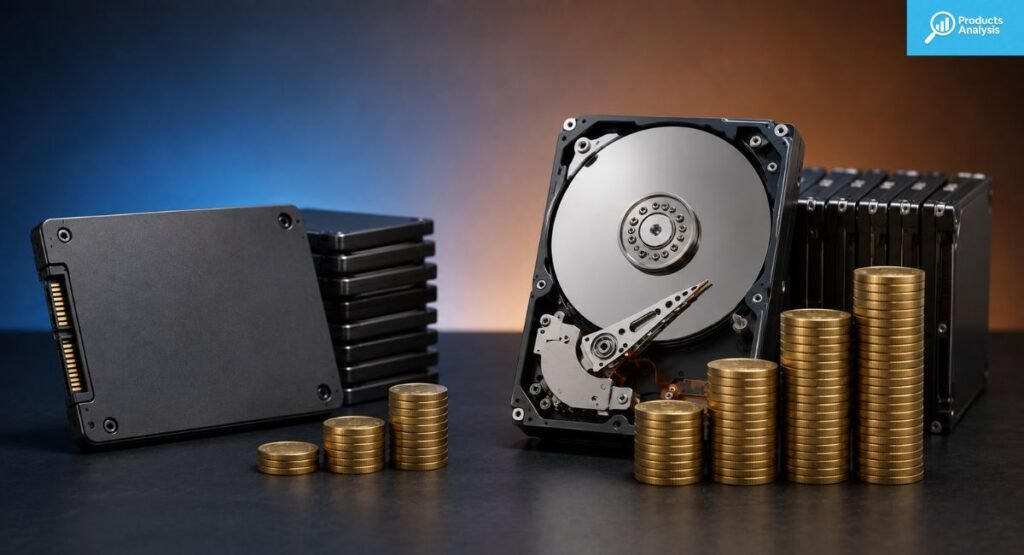
For pure capacity value, HDDs remain difficult to beat. Their mature mechanical design makes it economical to produce very large drives. That gives an HDD capacity advantage when you need several terabytes for photos, videos, backups, or other mass storage needs.
SSDs have become much more affordable, yet high-capacity models can still cost significantly more. For many users, the practical solution isn’t choosing one technology exclusively. Instead, combine a reasonably sized SSD with a large HDD for hybrid storage.
Is a 1TB SSD Enough in 2026?
For many people, yes. A 1TB SSD provides comfortable room for Windows, everyday applications, documents, photographs, and a reasonable collection of games. However, gamers and creators may quickly need 2TB or more because modern games and video projects can consume enormous amounts of space.
Think about your habits before buying. A student with documents and web applications has very different needs from someone storing 4K video. If you regularly work with huge files, paying for additional SSD capacity can save you from constantly moving data between drives.
SSD vs HDD: Durability, Lifespan, Noise & Power Consumption
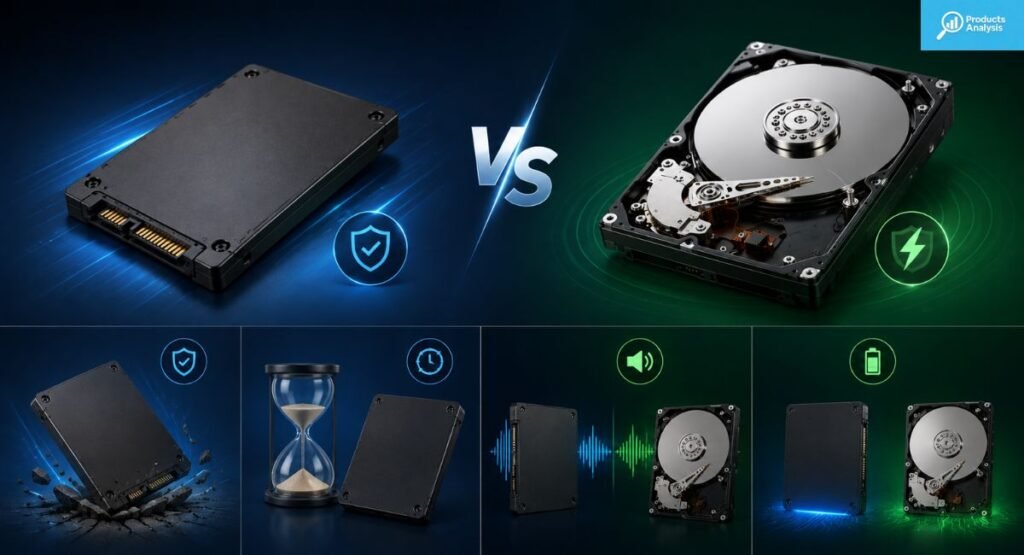
An SSD generally has an advantage in durability because it contains no spinning platters or mechanical heads. A laptop can experience bumps and vibration during normal travel. An SSD handles that environment better because there are fewer physical components that can be damaged.
That doesn’t make an SSD indestructible. Flash storage has finite write cycles and erase cycles. Manufacturers often describe endurance using TBW, or terabytes written. Meanwhile, an HDD can eventually suffer from motor, platter, or head problems because it relies on mechanical components.
Do SSDs Last Longer Than HDDs?
There’s no universal lifespan winner. An SSD can experience memory wear after extensive writing, while an HDD can develop mechanical failures over time. Modern SSD controllers use techniques such as the TRIM command to manage storage efficiently and reduce unnecessary writes.
For normal consumer workloads, either technology can last many years. More important than guessing an exact lifespan is maintaining backups. If your files matter, use another drive or cloud storage rather than trusting one device forever.
Which Uses Less Power?
SSDs generally offer better SSD power efficiency because they don’t continuously spin a platter. An HDD needs energy for its motor and mechanical system. The difference can matter more in a laptop, where every watt can affect battery life.
Desktop users may care less about battery consumption, but lower energy use can still reduce heat and noise. SSDs also produce little operational heat compared with mechanical drives, although high-performance NVMe models can become quite warm under heavy workloads.
Which Is Quieter?
An SSD is effectively silent during normal operation. There is no motor spinning and no actuator arm moving. An HDD, by contrast, can produce subtle clicking, vibration, or spinning sounds while working.
That difference sounds minor until you use a computer in a quiet room. For an office, bedroom, recording environment, or silent workstation, non-mechanical storage can make the system feel noticeably calmer.
SSD vs HDD: Which Is Better for Different Uses?
The best storage choice depends heavily on what you actually do. A gamer, student, photographer, and home backup user can have completely different priorities. Instead of asking which technology is universally better, ask which drive handles your workload most effectively.
For most everyday computers, an SSD makes the strongest primary storage choice. HDDs still make sense when capacity matters more than speed. In many cases, using both creates a balanced system that combines fast local data storage with inexpensive bulk capacity.
Use Case | Better Choice | Why |
Everyday laptop | SSD | Speed, silence, efficiency |
Gaming | SSD | Faster loading |
Office work | SSD | Better responsiveness |
Video editing | SSD + HDD | Speed plus capacity |
Large media library | HDD | Lower cost per GB |
Backups | HDD | Affordable capacity |
Portable storage | SSD | Better ruggedness |
Desktop with huge storage needs | SSD + HDD | Balanced performance |
SSD vs HDD for Gaming
Gaming is one area where SSDs make a clear difference. Games installed on an SSD generally load levels and assets faster than those installed on an HDD. Modern games also stream large amounts of data during gameplay, making fast storage increasingly useful.
However, storage speed doesn’t magically increase graphics performance. Your GPU and CPU still determine most rendering performance. The SSD primarily improves loading and responsiveness, which means you should view it as a smoother experience rather than a replacement for stronger graphics hardware.
SSD vs HDD for Laptops
For laptops, an SSD is usually the better choice. Portability exposes computers to movement, vibration, and occasional bumps. SSD is usually the better choice. If you need a new machine, see our list of Best Laptops for Productivity 2026. The lack of moving parts gives an SSD an important advantage in ruggedness and shock resistance.
Battery use also matters. An SSD can be more efficient because it doesn’t need to spin a platter. Its smaller design can also help manufacturers build thinner laptops. Still, check the system’s upgrade options before buying because some modern laptops have storage soldered directly to the motherboard.
SSD vs HDD for Video Editing and Content Creation
Content creation benefits from fast storage because video files can be enormous. An SSD can improve project loading, media scrubbing, caching, and file transfers. Editors working with high-resolution footage should consider a fast SSD for active projects.
Yet an HDD remains useful for completed projects and archives. A practical setup can place active video projects on an SSD while moving finished footage to an HDD. This balances storage performance with affordable capacity.
SSD vs HDD for Backups
Backups don’t always need extreme speed. If you’re copying hundreds of gigabytes overnight, an HDD can provide plenty of capacity at a lower price. That’s why an external HDD remains a sensible option for large external backup collections.
An external SSD makes more sense when portability and speed matter. It handles travel better, Don’t forget Best Travel Power Bank 2026 for on-the-go charging. and can transfer large files much faster. You can also combine local backups with online backup or cloud storage for stronger protection.
Can You Use an SSD and HDD Together?
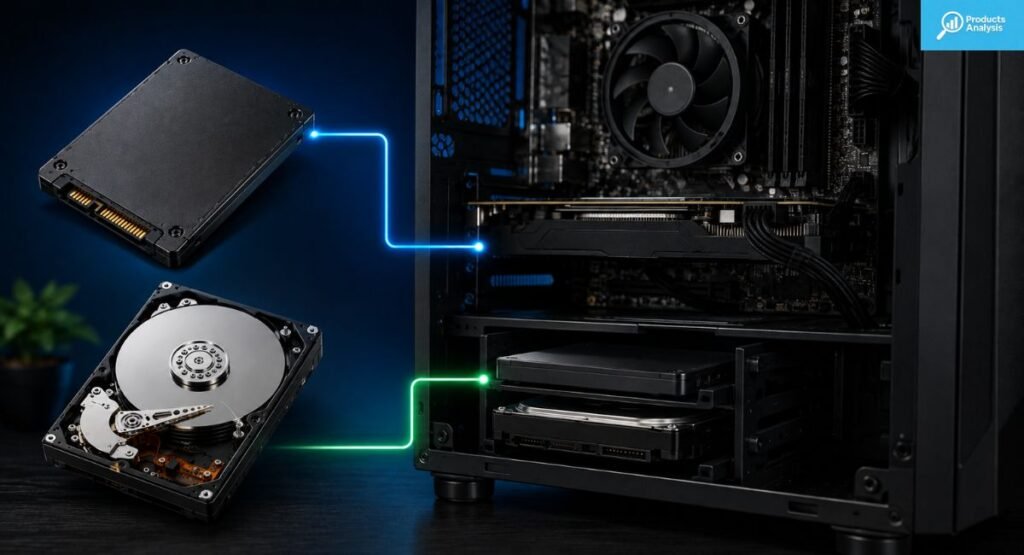
Absolutely. In fact, combining both drives can be one of the smartest storage strategies for a desktop PC. Use the SSD as your fast SSD boot drive and place Windows, applications, and frequently used games there. Then use the HDD as an HDD secondary storage drive.
This arrangement separates speed-sensitive tasks from bulk storage. Your operating system stays responsive while large videos, photographs, downloads, and archives occupy inexpensive HDD space. The result is practical hybrid storage without paying SSD prices for every terabyte you own.
What Should You Put on an SSD vs HDD?
Think of your SSD as the workbench and your HDD as the storage room. Frequently accessed programs, games, active projects, and the operating system benefit from SSD speed. Large archives, old photographs, downloaded media, and backup copies can comfortably live on an HDD.
That strategy also helps preserve valuable SSD space. You don’t need to store every file on the fastest drive available. Put speed-sensitive data on the SSD and less frequently accessed files on the HDD.
SSD vs HDD: Which One Should You Buy?
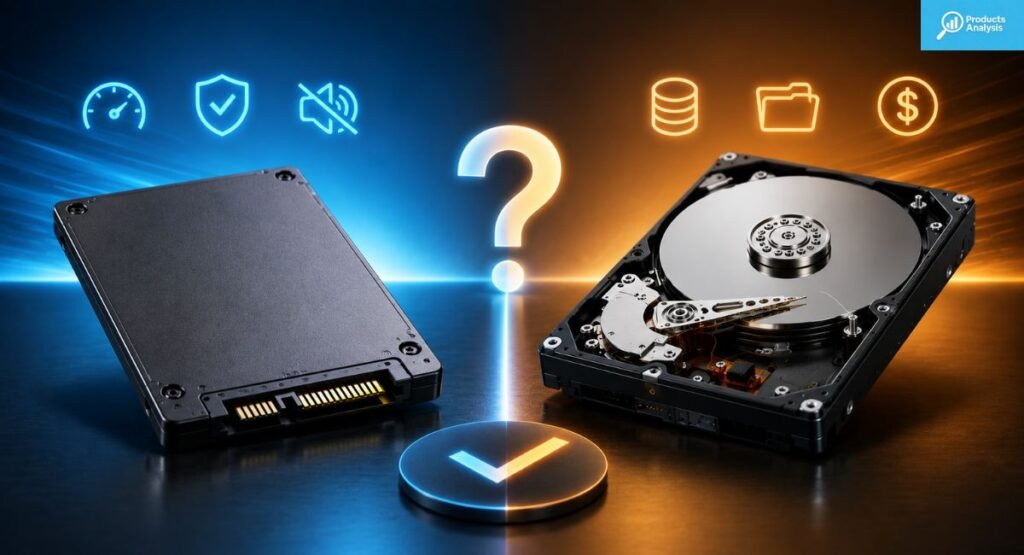
For most people buying a computer in 2026, an SSD is the better primary storage drive. It delivers faster boot times, quicker applications, better responsiveness, lower noise, and stronger resistance to physical shocks. Those advantages affect almost every interaction you have with a computer.
An HDD still earns its place when you need inexpensive mass storage. If you’re building a desktop with a huge media collection or creating a large backup system, its lower cost per GB can make more sense than buying several high-capacity SSDs.
Choose an SSD If You Want…
An SSD is the clear choice if your priority is speed. It works especially well for a laptop, gaming computer, office machine, or workstation where quick app loading and responsive storage matter every day.
It also makes sense for portable storage because there are no mechanical components to move inside the drive. If you regularly carry your files between locations, the combination of speed, compact design, and durability is hard to ignore.
Choose an HDD If You Need…
An HDD remains attractive when you need lots of space without spending heavily. It works particularly well for desktop archives, media collections, surveillance storage, large backups, and other workloads where files don’t need instant access.
The best solution may also involve both. A fast SSD can handle your active workload while a large HDD handles your long-term files. That approach gives you the benefits of each technology without forcing one drive to do everything.
Should You Buy an SSD or HDD in 2026?
For most buyers, choose an SSD as your primary drive. If your budget allows it, 1TB or 2TB provides a comfortable starting point for many computers. Gamers and creators with large files may benefit from additional capacity.
Choose an HDD when inexpensive capacity matters more than speed. If you need both performance and lots of space, use an SSD for your operating system and active files, then add an HDD for backups and archives. That’s the most balanced answer to SSD vs HDD in 2026.
SSD vs HDD FAQs
Which lasts longer, an SSD or a HDD?
Both can last for years, but SSDs generally handle shocks better because they have no moving parts. Lifespan also depends on workload and drive quality.
Is HDD still worth it in 2026?
Yes. HDDs are still worth considering for affordable, high-capacity storage, backups, and large media collections.
Which storage is best for a laptop?
An SSD is usually the better choice for laptops because it offers faster performance, lower noise, better durability, and efficient power use.
Is 256GB SSD better than 1TB HDD?
For speed and everyday performance, a 256GB SSD is better. However, a 1TB HDD provides four times the storage capacity.
Should I buy SSD or HDD for storage?
Choose an SSD for speed and everyday use. Choose an HDD when you need more storage for less money.

Welcome to Products Analysis! I’m Muhammad Hasban, the founder and author behind this platform. Here, I share detailed insights, reviews, and analysis of products to help you make smart buying decisions. My goal is to provide honest, reliable, and easy-to-understand information for shoppers everywhere.