
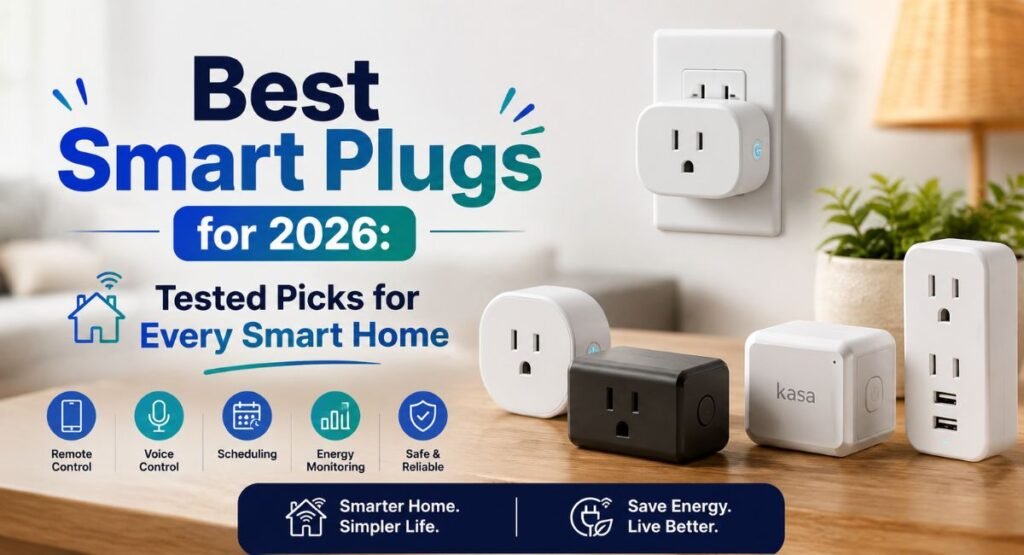
Best Smart Plugs for 2026: Tested Picks for Every Smart Home
Smart plugs can turn ordinary appliances into useful smart home devices without replacing them. With a reliable Wi-Fi smart plug, you can control lamps, fans, coffee makers, and other compatible appliances from your phone or through a voice assistant. The best models also support schedules, timers, routines, and even energy monitoring, giving you more control over your daily electricity use.
However, not every plug offers the same compatibility, reliability, or safety features. Some work with Amazon Alexa, Google Home, or Apple HomeKit, while newer models add Matter support for broader smart home gadgets control. In this guide, we’ll explore the best smart plugs for 2026 and help you choose the right option for your home.
Best Smart Plugs for 2026
The best smart plugs aren’t necessarily the ones with the longest feature list. A reliable smart plug should connect quickly, stay online, respond to commands, and fit naturally into your routine. For most US homes, compatibility with Alexa, Google Home, or Apple Home matters just as much as price.
The Kasa Smart Plug Mini EP25 stands out as a strong all-around option. The Amazon Smart Plug makes more sense for Alexa-heavy homes, while the Kasa Matter Smart Plug KP125M suits buyers who want Matter. For energy tracking, the Emporia Smart Plug is the more specialized choice.
Smart Plug | Best For | Energy Monitoring | Matter | Major Platforms |
Kasa Smart Plug Mini EP25 | Overall | Yes | No | Alexa, Google, Apple, SmartThings |
Amazon Smart Plug | Alexa homes | No | No | Alexa |
Kasa Matter Smart Plug KP125M | Matter | Yes | Yes | Alexa, Google, Apple, SmartThings |
Emporia Smart Plug | Energy tracking | Yes | No | Alexa, Gemini |
Emerson SmartVoice | No Wi-Fi | No | No | Built-in voice control |
Tapo Smart Wi-Fi Power Strip | Multiple devices | Yes | Yes | Alexa, Google, Apple, SmartThings |
Kasa Outdoor Plug EP40A | Outdoor use | Yes | No | Alexa, Google, Apple |
Best Smart Plug Overall: Kasa Smart Plug Mini EP25
The Kasa Smart Plug Mini EP25 is a strong everyday pick because it balances price, compatibility, and reliability. Its smart plug setup is straightforward and it supports major platforms without requiring a separate smart home hub for basic use.
Its biggest advantage is flexibility. You can use it with Alexa, Google Home, Apple HomeKit, and Samsung SmartThings. That makes it especially useful for households where family members use different phones or assistants.
Best Smart Plug for Alexa: Amazon Smart Plug
The Amazon Smart Plug is hard to beat for a household built around Amazon Alexa. Setup is simple because it fits directly into the Alexa ecosystem. If you already use Echo speakers, adding another plug feels almost effortless.
However, this smart plug for Alexa is less flexible than multi-platform alternatives. If you expect to move between Apple Home, Google Home, and Alexa, another model may serve you better.
Best Matter Smart Plug: Kasa Matter Smart Plug KP125M
The Kasa Matter Smart Plug KP125M is a strong choice when cross-platform support is your priority. Matter is designed to reduce compatibility headaches between different smart-home brands and platforms.
The KP125M also provides energy information and supports major ecosystems. However, Apple Home users should pay attention to controller requirements because Matter setup can behave differently depending on the devices already installed in your home.
Best Energy Monitoring Smart Plug: Emporia Smart Plug
The Emporia Smart Plug makes the most sense when electricity data matters. Instead of simply switching a device on or off, an energy monitoring smart plug can show how much power an appliance consumes.
That becomes more useful with devices such as humidifiers or other moderate-power appliances. You can examine energy usage and identify equipment that quietly consumes electricity for long periods.
Best Smart Plug Without Wi-Fi: Emerson SmartVoice
The Emerson SmartVoice takes a completely different approach. It doesn’t rely on Wi-Fi, a cloud account, or a conventional smart plug app. Instead, its built-in microphone responds to supported voice commands.
That simplicity comes with trade-offs. You lose advanced smart plug scheduling, remote access, and many automation features. Still, it can appeal to users who value privacy and want a smart plug without Wi-Fi.
Best Smart Plug Extender: Tapo Smart Plug Outlet Extender
The Tapo Smart Plug Outlet Extender is useful when one wall outlet isn’t enough. It combines several controlled outlets with additional always-on connections and USB ports.
Because it occupies the outlet face, it works differently from a normal plug-in unit. This smart plug extender is best suited to desks, entertainment areas, and other places where outlet space is at a premium.
Best Energy-Monitoring Smart Power Strip: Tapo Smart Wi-Fi Power Strip
The Tapo Smart Wi-Fi Power Strip is better for users who need several independently controlled outlets. Its individual smart outlets can automate different devices while the strip also provides energy information.
It is considerably larger than a basic plug. However, the extra size makes room for spaced outlets, USB ports, and useful control options. That can be worthwhile beside a desk or media center.
Best Outdoor Smart Plug: Kasa Outdoor Plug EP40A
The Kasa Outdoor Plug EP40A is designed for outdoor jobs such as patio lights, holiday decorations, and string lights. Its weather-focused construction makes it more appropriate outside than a normal indoor plug.
Outdoor models also need sensible placement. A weather-resistant enclosure doesn’t mean you should expose every connection to standing water. Keep connections protected and follow the manufacturer’s installation instructions.
Best Smart Plugs Compared
Choosing among smart plugs becomes much easier when you compare the features that actually affect daily use. Compatibility should come first because an excellent plug becomes frustrating if it doesn’t work with your preferred smart home platform.
Price also matters, but don’t judge value from the purchase price alone. A slightly more expensive plug can be worthwhile if it provides better reliability, energy monitoring, or broader multi-platform compatibility.
Category | Recommended Model | Best Reason |
Overall | Kasa Smart Plug Mini EP25 | Strong balance |
Alexa | Amazon Smart Plug | Simple Alexa integration |
Matter | Kasa Matter Smart Plug KP125M | Cross-platform support |
Energy | Emporia Smart Plug | Detailed monitoring |
Offline | Emerson SmartVoice | No Wi-Fi or app |
Outdoor | Kasa Outdoor Plug EP40A | Outdoor control |
Power Strip | Tapo Smart Wi-Fi Power Strip | Multiple smart outlets |
Which Smart Plug Is Right for You?
Think about your home before buying. If you use several platforms, choose strong smart device compatibility. If Alexa runs your home, an Alexa-focused model can simplify setup. For future flexibility, Matter deserves serious consideration.
Energy-conscious households should look for smart plug energy monitoring. Meanwhile, renters may prefer simple plug-in products because they don’t require electrical work. The best choice is the one that solves your actual problem.
What Is a Smart Plug and How Does It Work?
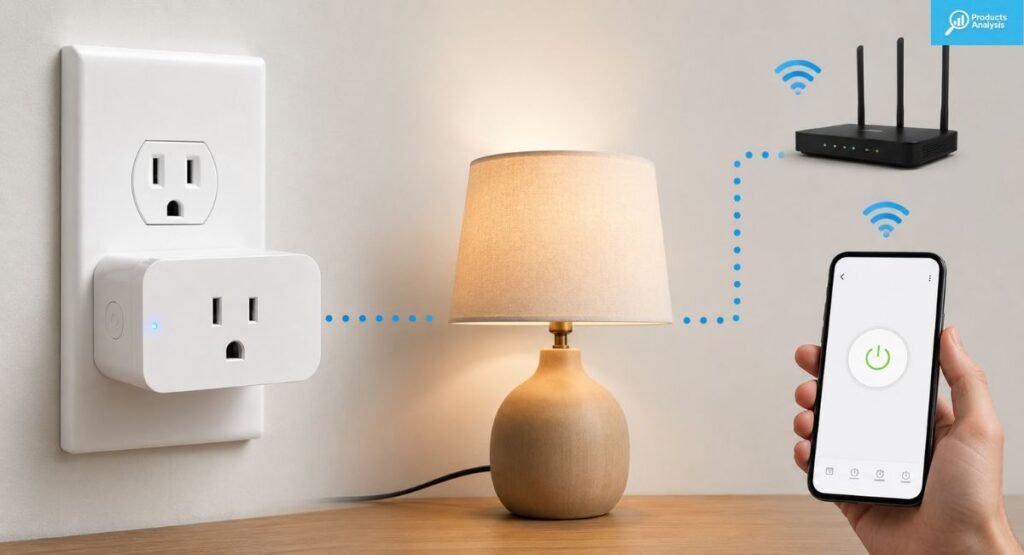
A smart plug is a small smart home device that sits between a wall outlet and an appliance. It lets you control electrical power through an app, schedule, automation, or voice command.
In simple terms, imagine putting a remote-controlled switch between your lamp and the wall. The lamp stays ordinary. The smart outlet controls when electricity reaches it.
What Does a Smart Plug Do?
A smart plug mainly controls power. You can switch compatible devices on or off remotely, create schedules, or connect them to broader smart home routines.
Some models add energy monitoring, presence-based automation, timers, and platform integration. These features turn a basic electrical switch into a useful part of your smart home devices.
Do Smart Plugs Need Wi-Fi?
Most modern Wi-Fi smart plugs connect through your home router. During smart plug setup, your phone normally communicates with the plug through Bluetooth or Wi-Fi before the device joins your network.
Some products can use Bluetooth, Matter, Thread, or other wireless protocols. The exact method matters because it affects range, remote access, reliability, and whether a smart plug hub required message appears during setup.
How Do Smart Plugs Connect to Your Smart Home?
Different products use different smart plug wireless protocols. Wi-Fi is common because it connects directly through your router. Bluetooth often helps with onboarding. Matter can operate over Wi-Fi or Thread.
Older ecosystems may also use Zigbee. Some systems use a dedicated hub to manage devices locally. Your choice should match the network and automation system you already use.
Can You Control a Smart Plug Away From Home?
Yes, many connected plugs support smart plug remote control through a manufacturer app or compatible smart-home platform. That means you can turn a lamp on while you’re away or check whether a device remains powered.
Remote access usually depends on internet connectivity and the platform’s architecture. Some local systems can continue controlling devices when the internet disappears, while cloud-based functions may stop.
What Can You Use a Smart Plug For?
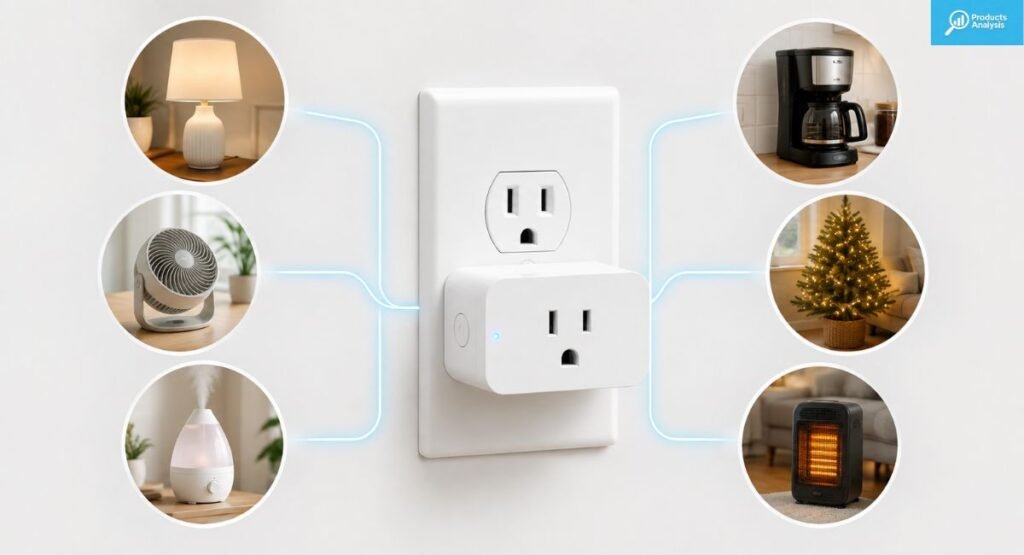
The best use cases involve appliances that behave predictably when power turns on. including travel devices and lamps., basic fans, and some coffee makers are classic examples because they often have simple physical ON/OFF controls.
A smart plug becomes less useful when an appliance needs complex programming after receiving power. Always check the appliance manual first. A remote switch isn’t a universal replacement for an appliance’s built-in controls.
Smart Plugs for Lamps and Lights
Lamps are probably the easiest smart plug use case. You can schedule them to turn on before sunset and switch off at bedtime.
This also improves home presence when you’re traveling. A vacation mode can turn lights on and off at varying times, making an empty home appear occupied without leaving lamps running continuously.
Smart Plugs for Fans
Fans and cooling appliances can work well with smart plugs when they automatically resume operation after power returns. That lets you create schedules or control the fan remotely.
However, don’t assume every modern fan behaves this way. Some electronic controls reset when power disappears. Test the appliance manually before building your smart plug automation around it.
Smart Plugs for Coffee Makers
A traditional coffee maker with a physical power switch can be a convenient candidate. You can prepare it the night before and schedule the outlet to energize in the morning.
Still, safety comes first. Never automate an appliance if its manufacturer warns against unattended operation. A smart plug should add convenience, not bypass safety instructions.
Smart Plugs for Holiday and Patio Lights
Outdoor lighting is another natural fit. An outdoor Wi-Fi plug can schedule holiday lights, patio decorations, and LED lights without requiring you to walk outside every evening.
For exposed locations, choose a model designed for outdoor use. Look for appropriate weatherproof protection and follow the manufacturer’s placement requirements.
Smart Plugs for Air Purifiers and Small Appliances
Some air purifiers and other small appliances work well when they resume their previous state after power returns. This can make scheduled operation simple.
The key question isn’t whether an appliance uses electricity. Instead, ask whether it safely handles a simple power cycle. Devices with complex electronic controls may not behave predictably.
Smart Plugs for Energy Monitoring
An energy-monitoring model can reveal how much electricity a connected appliance consumes. Instead of guessing, you can inspect energy consumption through the companion software.
For example, a plug can show whether a humidifier or heater consumes meaningful power during long operating periods. This kind of power monitoring turns vague assumptions into measurable information.
What to Consider When Buying a Smart Plug
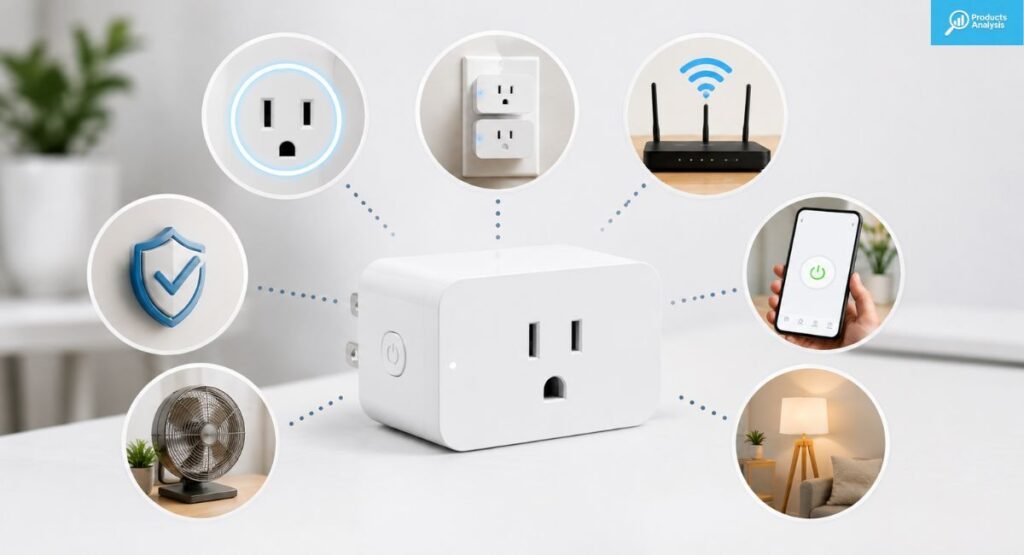
Buying a smart plug isn’t just about finding the cheapest model. You need to consider compatibility, electrical ratings, connectivity, app quality, physical size, and the appliances you intend to control.
For US households, the most important question is simple: will the plug work reliably with your existing ecosystem? After that, examine smart plug wattage, automation features, energy monitoring, and safety ratings.
Smart Home Compatibility
Check whether the plug supports your preferred ecosystem before buying. Common options include Alexa, Google Home, Apple HomeKit, and Samsung SmartThings.
Compatibility also affects automation. A plug that works inside one brand’s app may not interact smoothly with other smart home devices. Multi-platform compatibility gives you more flexibility as your home grows.
Matter Support
Matter aims to make smart-home products easier to use across different ecosystems. A compatible plug can communicate with multiple supported platforms instead of locking you into one manufacturer’s environment.
However, Matter doesn’t automatically remove every setup requirement. Your home may still need a compatible Matter controller or other infrastructure depending on the platform and connection method.
Wi-Fi, Bluetooth, Thread, and Hub Requirements
A typical smart plug Wi-Fi connection uses your router for everyday communication. Bluetooth may assist during Bluetooth onboarding, while Thread can provide low-power mesh connectivity for compatible Matter devices.
The difference becomes important in larger homes. A plug with strong local connectivity may be more reliable than one that depends entirely on a distant router connection.
Energy Monitoring
Energy monitoring measures the electricity used by the connected appliance. Depending on the model, the app may display instantaneous power, accumulated usage, or estimated costs.
Look for measurements expressed in watts, kilowatt-hour, or kWh. Remember that monitoring quality varies by product. A plug can provide useful trends without replacing a certified electrical meter.
Maximum Wattage and Amperage
Every smart plug has an electrical limit. In the US, many household models support up to 15 amps and roughly 1500 watts or more depending on the voltage and product rating.
Never exceed the manufacturer’s smart plug maximum load. The correct calculation depends on voltage, current, and the appliance’s actual electrical requirements. When uncertain, don’t guess.
Plug Size and Outlet Design
A compact plug can preserve access to the second wall outlet. A bulky model may cover neighboring sockets or make large power adapters difficult to use.
This is why physical design matters more than it first appears. A smart plug can have excellent software yet still become annoying if it blocks the outlet you need every day.
App Quality and Setup
A good smart plug app should make installation clear. You may scan a QR code, enter your Wi-Fi details, or use Bluetooth pairing during the initial process.
After installation, the app should make schedules and routines easy to find. Confusing menus can turn a simple automation into a chore, especially when you manage several plugs.
Scheduling and Automation
Look for smart plug timers, recurring schedules, sunrise or sunset triggers, and broader routines. These features let you automate repetitive tasks without touching the app every day.
Advanced smart device scheduling can also combine several devices. For example, one routine could switch off lamps, reduce selected appliances, and activate other devices when you say goodnight.
Outdoor Rating
Outdoor products need protection against dust and water exposure. Some models advertise ratings such as IP64, although the exact protection level depends on the product.
Don’t confuse weather resistance with complete waterproofing. Outdoor plugs still need proper placement, suitable covers, and safe cable routing. Moisture can become dangerous when electrical connections aren’t protected.
Privacy and Data Collection
Connected products can involve accounts, cloud services, and cloud processing. Before buying, check what information the manufacturer collects and which features require an online connection.
Users who prioritize privacy may prefer local control or an offline smart plug. That approach can reduce cloud dependence, although it usually sacrifices some advanced features.
Smart Plug Features That Actually Matter
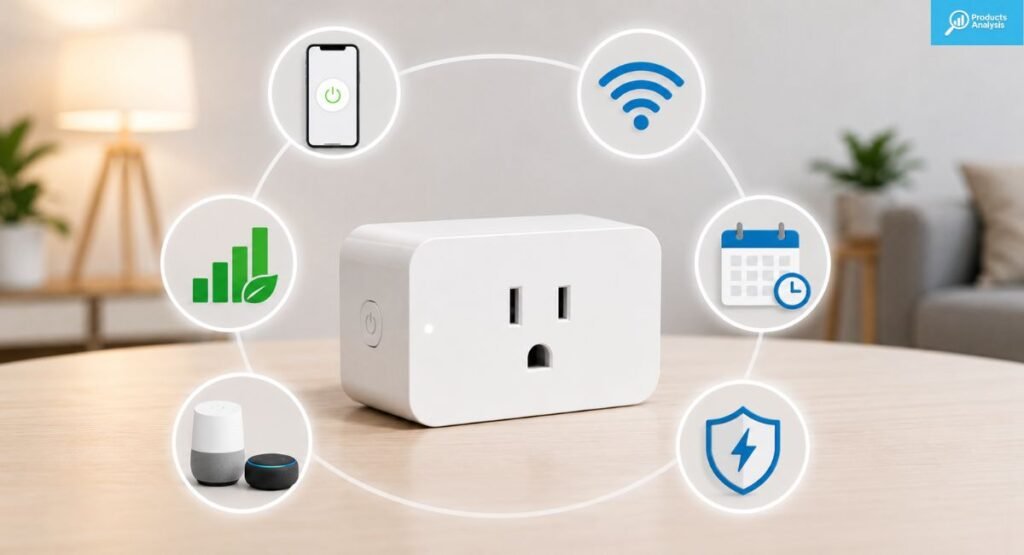
Smart plugs can advertise dozens of functions. Yet only a handful make a meaningful difference in daily life. Reliability, compatibility, scheduling, voice control, and useful automation usually matter more than flashy extras.
A good feature should solve a real problem. For example, remote control is valuable when you forget a lamp. Energy monitoring matters when you want to understand electricity use. Matter matters when your home uses several platforms.
Scheduling and Timers
Scheduling lets you decide when a device receives power. You can turn a lamp on every evening or shut a fan down after a fixed period.
Good schedules should survive ordinary daily use without constant adjustment. Timers are especially handy for short tasks where you want a device to switch off automatically.
Voice Control
Voice control makes simple commands almost effortless. You can ask your voice assistant to turn a lamp on without reaching for your phone.
The experience depends heavily on platform compatibility. A strong smart plug voice control experience should respond quickly and recognize clear device names.
Energy Monitoring
Energy monitoring is useful when the connected appliance consumes enough electricity to matter. A lamp with an efficient LED bulb may reveal little.
A heater or humidifier can tell a different story. Watching smart plug electricity usage over time may help you identify devices that deserve shorter schedules or lower operating times.
Matter and Multi-Platform Support
Multi-platform compatibility can protect your purchase from ecosystem changes. If you switch from Alexa to Google Home later, a Matter-capable device may offer more flexibility.
That doesn’t mean every Matter plug is automatically better. Evaluate connection stability, app quality, energy features, and controller requirements too. Standards help, but implementation still matters.
Remote Control
Remote access is one of the simplest smart-home conveniences. You can check a connected lamp before leaving work or turn off a device after you forget it.
The feature depends on internet access and the manufacturer’s architecture. Some locally controlled systems can continue operating inside the home even when external access disappears.
Smart Scenes and Routines
Scenes and routines let several actions happen together. A goodnight routine might turn off lamps while changing other connected devices at the same time.
This is where smart home automation becomes more powerful. Instead of controlling five devices separately, one command can coordinate the entire room.
Manual Controls
Physical buttons remain surprisingly useful. You can turn a device on manually without opening the app or speaking to an assistant.
Manual control also helps during troubleshooting. If your smart plug connection fails, the button can still provide basic local control on many models.
Device Sharing
Sharing lets other people in your home control connected devices. The experience varies widely between platforms and manufacturer apps.
Before buying, check smart plug sharing if several family members need phone-based access. Voice assistants may offer shared control even when a manufacturer’s own app has limitations.
Offline Operation
An offline smart plug can be attractive if you don’t want cloud dependency. Some products can continue local control through supported ecosystems even when internet access fails.
Still, offline capability varies. Don’t assume that every Wi-Fi plug keeps every feature working without an internet connection. Check the manufacturer’s documentation for local-control support.
Are Smart Plugs Worth It?
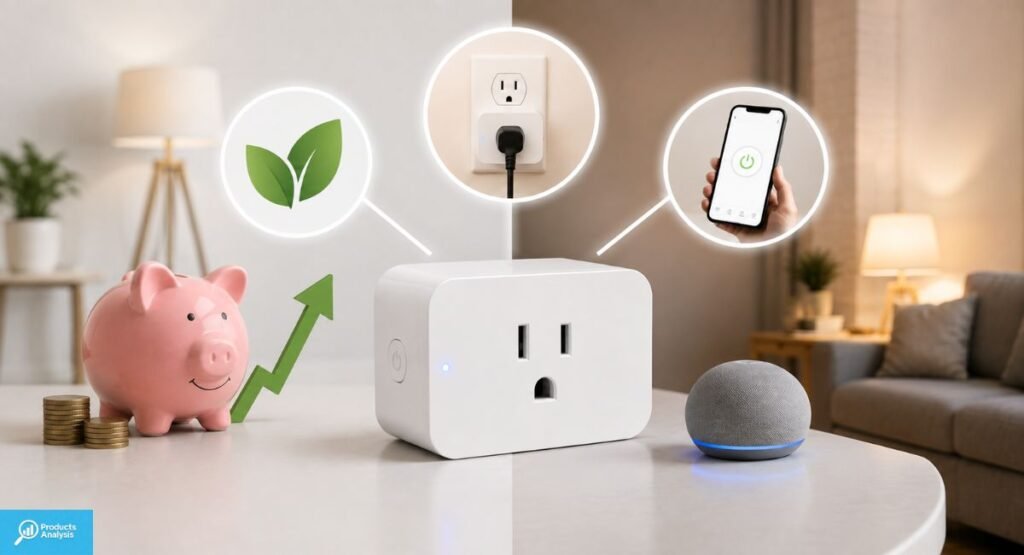
For many households, yes. A smart plug is one of the least expensive ways to add useful automation without replacing an appliance.
The value comes from repetition. Turning one lamp off remotely isn’t revolutionary. Doing it automatically every night for years is where the convenience adds up. That simple shift can make a smart home feel genuinely helpful.
Benefits of Smart Plugs
The strongest benefit is convenience. You can automate ordinary appliances without buying completely new versions.
They can also provide energy savings when schedules prevent unnecessary runtime. However, the savings depend on what you connect. A smart plug itself consumes a small amount of standby power.
Disadvantages of Smart Plugs
The biggest drawback is added complexity. A normal lamp works when you flip the switch. A connected plug adds an app, network, account, and sometimes a cloud service.
Connectivity problems can also become irritating. If the router fails or the device loses its network, some smart home control features may stop working until the connection returns.
When a Smart Plug Makes Sense
Smart plugs are excellent for renters and beginners because they don’t usually require electrical installation. You simply connect the plug between the appliance and wall outlet.
They’re also useful for homes with mixed equipment. Instead of replacing several perfectly good appliances, you can add simple automation where it makes sense.
When You Shouldn’t Buy a Smart Plug
A smart plug isn’t the right tool for every appliance. Devices that need complex programming, careful supervision, or special power control may require another solution.
Sometimes a smart bulb, dedicated smart switch, timer, or purpose-built appliance makes more sense. The goal isn’t to make everything smart. It’s to make the right things easier.
How We Test Smart Plugs
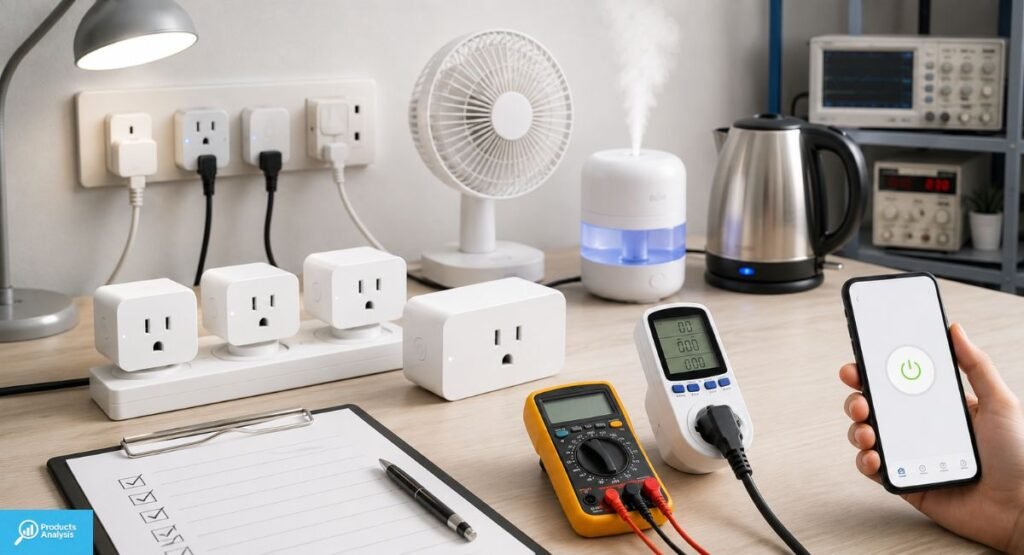
Testing a smart plug requires more than switching a lamp on once. A reliable evaluation should examine setup, connection stability, platform support, automation, energy reporting, and real-world behavior.
For a meaningful comparison, each model should face similar conditions. Otherwise, a fast setup on one router or phone doesn’t tell you much about long-term smart plug reliability.
Setup and Installation
The first test begins with smart plug installation. We look at account creation, pairing instructions, Bluetooth onboarding, QR-code steps, and Wi-Fi configuration.
A good plug should explain what to do without forcing users to search through support pages. The process should also make it clear when the plug enters pairing mode.
Connectivity and Reliability
Connection stability matters more than a flashy feature list. We check whether the plug stays connected during ordinary use and whether commands remain responsive.
Testing should also include different locations around the home. A plug that works beside the Wi-Fi router but repeatedly disconnects in a distant room may not be suitable for larger houses.
Smart Home Compatibility
Each supported platform deserves separate testing. Alexa, Google Home, Apple Home, and SmartThings can behave differently even when a product claims broad compatibility.
We also check whether device names, rooms, routines, and voice commands remain consistent across platforms. Good compatibility should feel seamless rather than stitched together.
Voice Control
Voice testing focuses on response speed and command accuracy. We test simple actions such as turning a lamp on or off.
We also examine whether the smart home assistant recognizes natural device names. A plug that responds reliably to everyday speech is more useful than one requiring awkward commands.
Scheduling and Automation
We test recurring schedules, timers, scenes, and routines. A schedule should trigger consistently without needing daily intervention.
Automation also needs sensible recovery behavior. If the network temporarily fails, the plug should reconnect appropriately and avoid unexpected behavior when possible.
Energy Monitoring
Energy monitoring requires more than checking whether an app displays a number. We examine how clearly it reports power and cumulative consumption.
Useful information can include energy usage, cost estimates, historical trends, and real-time readings. These details help users understand where their electricity goes.
Real-World Appliance Testing
Everyday testing should include suitable devices such as lamps, fans, and compatible small appliances. The goal is to observe how the plug behaves during normal routines.
We also pay attention to heat, physical fit, button quality, connection stability, and app behavior. Those small details often separate a pleasant product from a frustrating one.
Long-Term Reliability
A smart plug can look excellent during a ten-minute test. Problems often appear after weeks of schedules, network changes, firmware updates, and daily commands.
Long-term evaluation should record disconnects, failed automations, setup problems, and software changes. That produces a more realistic picture of smart plug reliability.
Smart Plug Safety: What You Should and Shouldn’t Plug In
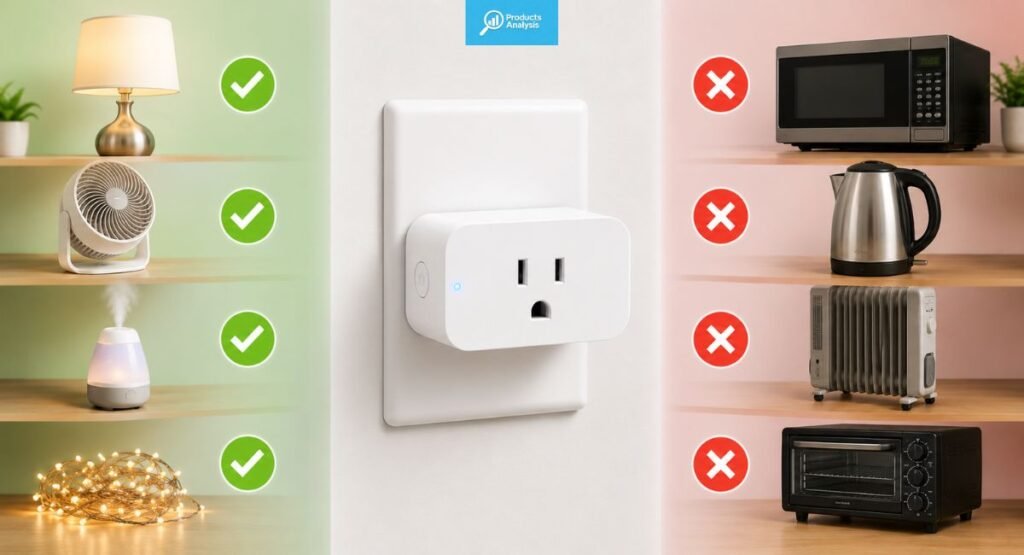
Safety should come before automation. A smart plug controls electrical power, so its rating must match the appliance and the installation.
The safest approach is simple: read the appliance instructions, check the plug’s electrical rating, and avoid exceeding its limits. Never use convenience as an excuse to ignore electrical safety.
What Can You Safely Use With a Smart Plug?
Simple devices with straightforward ON/OFF behavior are usually the easiest candidates. Lamps, some fans, and compatible lighting systems are common examples.
Before connecting anything, check the appliance’s power requirements. The smart plug’s wattage and amperage ratings must support the connected load.
What Should You Avoid Plugging Into a Smart Plug?
Avoid using smart plugs for equipment that creates a serious hazard if it starts without supervision. High-heat devices deserve particular caution.
You should also avoid exceeding the manufacturer’s load rating. TP-Link specifically warns against connecting a power strip or extension cord to its smart plugs because overload conditions can become difficult to detect.
Can You Use a Smart Plug With a Space Heater?
A space heater deserves extra caution because it can draw substantial power and generate high heat. Never assume that a 15-amp plug makes unattended heater operation safe.
Follow both the heater manufacturer’s instructions and the smart plug’s requirements. If either manufacturer prohibits unattended operation, don’t automate it. The safest smart-home routine is the one that doesn’t create a new hazard.
Check Wattage and Amperage Before Plugging Anything In
Electrical ratings are not decoration. A plug rated for 15 amps has a defined maximum electrical load, and the connected appliance must stay within that limit.
For example, an appliance drawing 1500 watts at 120 volts is using about 12.5 amps. That leaves less headroom than a small lamp. Always verify the actual product specifications rather than relying on rough estimates.
Indoor vs. Outdoor Smart Plug Safety
An outdoor smart plug needs construction appropriate for outdoor exposure. Look for the manufacturer’s stated weather rating and use the product only within its intended environment.
Outdoor lighting, patio lights, and holiday decorations are common applications. Keep plugs and connections away from standing water and follow the manufacturer’s instructions for mounting and cable placement.
Don’t Overload a Smart Plug
Never assume that adding several devices is safe simply because the outlet has multiple sockets. The combined electrical load still matters.
Avoid connecting high-draw equipment through an overloaded smart power strip or extension arrangement. A smart plug isn’t a magic shield against excessive current. Its protection comes from its design, rating, and correct use.
Final Verdict
The best smart plug for most US households should combine reliable connectivity, simple setup, useful automation, and broad compatibility. The Kasa Smart Plug Mini EP25 is a strong all-around choice when you want dependable everyday control.
However, there isn’t one perfect model for every home. Alexa users may prefer the Amazon Smart Plug, while Matter enthusiasts can consider the Kasa Matter Smart Plug KP125M. For detailed electricity tracking, the Emporia Smart Plug is the better specialist option.
Ultimately, buy around your ecosystem and your appliances rather than chasing the longest feature list. A modest plug that connects every time and quietly follows your routines can be far more valuable than an expensive device filled with features you’ll never touch.
Smart Plug FAQs
What should you not plug into a smart plug?
Avoid high-risk or high-heat appliances such as space heaters, curling irons, and equipment that shouldn’t run unattended. Never exceed the plug’s rated wattage or amperage.
Do smart plugs run up the electricity bill?
Smart plugs use a small amount of standby power. However, they can reduce overall energy consumption by automatically switching appliances off when they’re not needed.
What is the best smart plug to buy?
The Kasa Smart Plug Mini EP25 is a strong overall choice for most homes because it offers reliable connectivity, easy setup, and broad smart-home compatibility.
Are smart plugs safe to leave plugged in?
Yes, when the plug is properly rated and used according to the manufacturer’s instructions. Avoid overloading it and keep outdoor models protected from excessive moisture.

Welcome to Products Analysis! I’m Muhammad Hasban, the founder and author behind this platform. Here, I share detailed insights, reviews, and analysis of products to help you make smart buying decisions. My goal is to provide honest, reliable, and easy-to-understand information for shoppers everywhere.